

If your Zyxel router keeps dropping the internet connection randomly, you are not alone. This is a common issue that affects many Zyxel router models and it usually comes down to a handful of fixable causes. The connection drops can happen every few minutes, every few hours, or only during peak usage times. Let us go through the real causes and the fixes that actually work.
Before jumping to fixes, here are the most common reasons your Zyxel router loses internet:
This is the single most effective fix. Zyxel regularly releases firmware updates that fix WiFi stability bugs and improve connection handling.
WiFi channel congestion is one of the top reasons for intermittent disconnections, especially in apartments and dense neighborhoods.
Use a free WiFi analyzer app on your phone to check which channels are least crowded in your area before choosing.
Zyxel routers are compact and can overheat if airflow is restricted. Touch your router and if it feels very hot, overheating is likely causing the drops.
Slow or unreliable DNS from your ISP can make it feel like the internet is disconnecting even when WiFi is still connected.
A proper restart clears the router memory and resolves temporary glitches:
Every device on your network uses router resources. If you have 20+ devices connected, your Zyxel router may be overwhelmed.
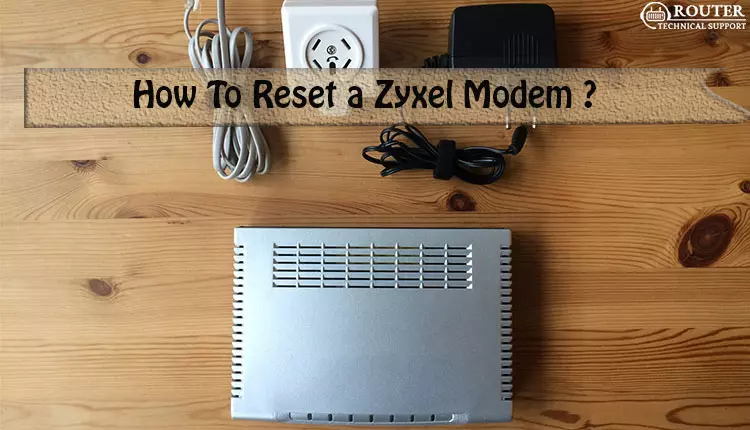
If nothing else works, a factory reset clears all settings and starts fresh:
If your Zyxel router still keeps disconnecting after trying all fixes, the problem may be with your modem or ISP connection. Connect a computer directly to the modem with an Ethernet cable, bypass the router completely, and test for a few hours. If the internet still drops without the router, the issue is on the ISP side and you need to call them for a line check.
Q.1 Why does my Zyxel router disconnect only at night or during peak hours?
Ans. If your Zyxel router only disconnects during evening peak hours, the issue is most likely ISP network congestion rather than your router. During peak times your ISP node serves more users simultaneously which can cause intermittent drops for everyone on that node. Test by connecting directly to the modem during peak hours. If the drops still happen without the router, contact your ISP. If the drops only happen through the router, the router may be struggling with the number of active devices streaming simultaneously and you may need to reduce connected devices or upgrade to a higher capacity model.
Q.2 How do I check if my Zyxel router firmware is up to date?
Ans. Log into your Zyxel router at 192.168.1.1 and go to Maintenance or System Information. The current firmware version will be displayed on that page. Then visit the Zyxel support website, search for your specific router model number, and check the Downloads section for the latest firmware version available. Compare the two version numbers. If the website version is newer than what your router shows, download it and install it through the Firmware Upgrade page in your router admin panel.
Q.3 Can a faulty Ethernet cable cause my Zyxel router to keep disconnecting?
Ans. Yes, a damaged Ethernet cable between your modem and Zyxel router is a commonly overlooked cause of intermittent disconnections. Even a cable that looks fine externally can have internal wire breaks that cause the connection to drop under load. Try replacing the cable between the modem and the router WAN port with a new Cat5e or Cat6 cable. Also check that the cable clicks firmly into both ports. A loose connection that wiggles can cause random drops especially if the cable gets bumped occasionally.
Q.4 Does the number of walls between my device and the Zyxel router affect disconnections?
Ans. Yes, walls significantly affect WiFi signal strength especially on the 5 GHz band. Each wall the signal passes through reduces its strength. Concrete and brick walls reduce the signal much more than drywall. If your device is behind multiple walls and keeps disconnecting, it may be losing signal strength to the point where the connection becomes unstable. Move closer to the router to test. If the problem disappears when you are in the same room, consider moving the router to a more central location or using the 2.4 GHz band which penetrates walls better than 5 GHz.
Q.5 Will replacing my Zyxel router with a newer model fix the disconnecting issue?
Ans. If your current Zyxel router is more than 4 to 5 years old, upgrading to a newer model will likely fix the disconnecting issue because newer routers have better processors, more RAM, improved firmware, and support for newer WiFi standards that handle more devices more efficiently. However, before buying a new router, make sure the problem is actually the router and not your modem or ISP by testing with a direct modem connection. If the issue is confirmed to be the router, look for a WiFi 6 model which offers significantly better stability and device handling compared to older WiFi 5 or WiFi 4 routers.
Copyright © 2026 Router Support 247 | all right reserved.
DISCLAIMER : Router Support 247 is an independent Technical Support Provider. We are not affiliated to any 3rd party brand unless specified. Call vendor for direct Support.

Top Searches in Zyxel Support